

Guild Logo Editor
Upload any image and convert it into a 16×12 guild logo your Metin2 client accepts.
Metin2 Guild Logos and Guild Guide
A Metin2 guild is the long-term home for any serious player: it unlocks shared dungeons, shared skills, a guild treasury, a piece of buildable land, and the wars that decide who runs the server. The most personal part of all of it is the guild logo, the small 16 by 12 pixel image that floats next to every member's name and appears on every guild building. This guide explains how to start a guild, the milestones that unlock the good stuff (logos, wars, dungeons, land), and the exact technical details for uploading a custom logo that actually displays correctly in-game.
Creating a Guild
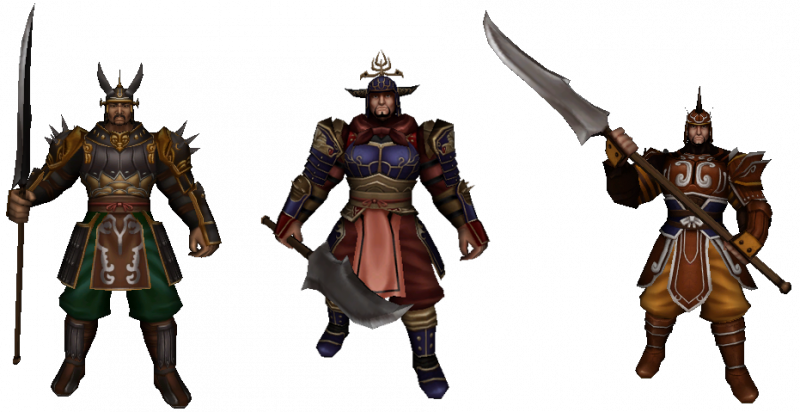
Guilds are founded at the Guardian NPC, who stands in the centre of each kingdom's starting town and at Dong Gwang Plain. Requirements to create one:
- Minimum level 40 on the character founding the guild.
- 200,000 Yang founding cost, paid at the NPC.
- Cooldown: 7 days after leaving a previous guild before you can found a new one. Recruiting also has a 3-day cooldown after leaving a guild.
Member capacity starts at 32 and scales with guild level, capping at 90 members. Building an Altar of Power on guild land adds 6 to 8 more slots per level on top of that.
Guild Levels: What Unlocks When
Every guild starts at level 1 and grows by absorbing donated experience from its members (later levels also accept Yang or Donation Tickets, capped at 3 donations per member per day). The total grind from 1 to 20 is roughly 1.73 billion EXP, so plan for the long haul. The key unlocks per level:
- Level 2: guild wars unlock. You can now declare on rival guilds.
- Level 3: custom guild logo upload unlocks, and Meley's Lair (Guild) becomes available as a guild dungeon.
- Level 6: guild becomes visible in the public ranking list (needs 100,000 Yang in the treasury) and can accept applications.
- Level 10: permission to purchase guild land on the old continent.
- Level 21: Balathor's Crypt and the Palace of Dragon King chain (Akzadur) open up. New-continent land also unlocks.
- Level 25: 10% EXP bonus to building progress.
- Level 30 / 35 / 40: 10% / 15% / 20% discount on guild-land lease costs.
- Levels 24 to 35: the remaining Palace of Dragon King dungeons (Nafaroth, Exedyar, Ruilith, Tyolduran) unlock in sequence.
Guild Ranks and Permissions
The guild leader (Role 1) configures up to 15 ranks, each with its own combination of six permission switches:
- Invite - recruit new players.
- Kick - remove members.
- Messages - pin guild announcements.
- Skills - activate the shared guild skills during war or on guild land.
- Combatant - mark a member as eligible for guild dungeons and guild wars.
- Bank / Treasury - access the warehouse, deposit and withdraw Yang or items, and read the full transaction log.
New recruits land in Role 15 by default. Treasury access is the most sensitive permission, so most guilds reserve it for officers only. Every treasury transaction is logged with a member name, item, and timestamp - useful for sniffing out a bad actor before too much is lost.
Guild Logos: The Centerpiece
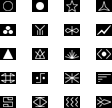

The guild logo is the small symbol that appears next to every member's name above their character, on the guild banner, and in the guild ranking list. It's the most visible piece of guild branding in the game. Two routes:
- Preset logos: the client ships with 100 built-in logos that any guild can use at any level. Open the guild window, click the logo-change button in the upper right, and pick one. Free, instant, no upload step.
- Custom logo: available from guild level 3. You drop an image file into the client's upload folder and the game serves it to every other player who sees your members.
Custom Logo Technical Specs
The custom-logo system is fiddly because it predates modern image formats. The exact requirements:
Designing a Logo at 16 by 12
- Treat it as a sigil, not a picture. 192 pixels total is enough for a single bold shape or 2-3 letter initials. Crests, runes, animal silhouettes, and 2-letter monograms work. Realistic portraits do not.
- High contrast wins. The logo is rendered at native size next to player names, often against busy game-world backgrounds. A bright shape on a dark background (or vice versa) reads from across the map. A muted gradient does not.
- One focal element. The eye cannot resolve more than one shape at 16x12 pixels. Pick the silhouette of a sword, a skull, a rune, a beast, or a letter, and centre it. Anything beyond that becomes pixel mud.
- Test transparency. A solid-rectangle logo looks like a sticker glued to the screen. Cut the negative space with #FF00FF (.bmp) or alpha (.tga) and the logo floats naturally next to the character.
- Avoid thin diagonal lines. At 16x12 pixels there is no anti-aliasing budget. Diagonals jaggie hard; horizontal and vertical strokes stay crisp.
Guild Skills
Guild skills are server-wide buffs that any member with the Skills permission can cast. They consume Dragon Ghost Power (refilled at 100 Yang per point) and benefit every guild member on the same map for a fixed duration:
- Blood of Dragon God: Max HP 2 to 20% (skill level 1 to 7).
- Benediction of Dragon God: Max SP 2 to 20%.
- Holy Armour: Defense 1.4 to 10%.
- Acceleration: Movement and Attack Speed 4.3 to 30%.
- Wrath of Dragon God: Critical Hit 7 to 50%.
- Casting Aid: Casting Speed 7 to 50%.
- Balathor skills (Storm, Will, Resolve): unlocked by reading a Balathor's Skill Book, grant Faint / Stun / Knockback resistance for 4 to 30 seconds.
All combat buffs have a 480-second cooldown. Balathor skills have 600 seconds. Max skill level is 7.
Guild Wars
From guild level 2 onward, a leader can formally declare war on another guild. Both sides need at least 8 members with one online and at least one Combatant-flagged member. Six war types are available:
- Field Battle: open-world PvP. Points equal the defeated player's level. Note that no Yang, EXP, or monster drops trigger for members in an active field war.
- Arena Battle: dedicated map, 1 point per kill, instant respawn.
- Capture the Flag: grab the flag, hold it. Carriers move at 50 movement speed.
- Annihilation: destroy environment objects to score points.
- Time Attack: two separated guilds race to destroy the opposing Hearth.
- Shield Battle: asymmetric. One side defends a Hearth, the other attacks.
Each format runs 1, 3, or 5 rounds at 10, 30, or 60 minutes per round (or 30 / 50 / 100 points in Arena Battle).
Guild Land and Buildings
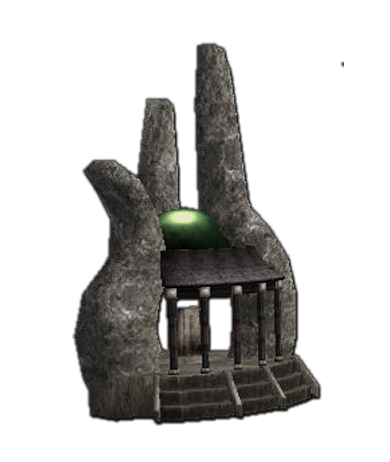
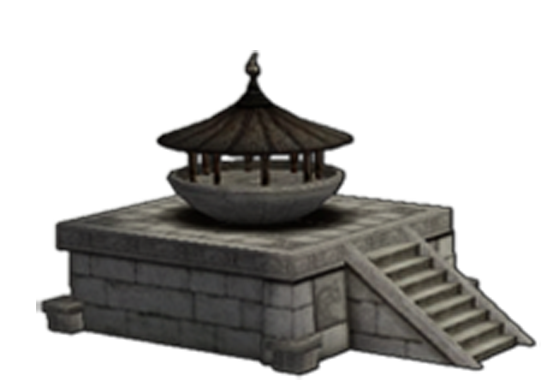
From guild level 10 onward, the leader can lease a plot of guild land on one of several kingdom maps for 400,000 Yang (kingdom maps) up to 1 billion Yang (Dong Gwang Plain). Lease costs are 5 million Yang per day for kingdom maps, 100 million per day for Dong Gwang. Buildings the guild can construct on its land:
- House (mandatory first building, 20M Yang foundation materials).
- Blacksmith / Weaponsmith / Jeweller / Special Armoursmith - 10% upgrade success, 30% discount on upgrade costs for members.
- Alchemist - up to 60% refinement success with a specialist.
- Blessing Shrine - rolls a random buff for the whole guild (HP, EXP, crit, speed) lasting 1 to 6 hours depending on shrine level.
- Altar of Power - expands guild member capacity by 6 to 8 per level.
- Guild Warehouse - 40 storage slots per level, fully logged access.
- Leather Stove and Leathersmith (Yohara only) - sell and craft Runestones and gloves.
Decorative Building: Guild Land Logo
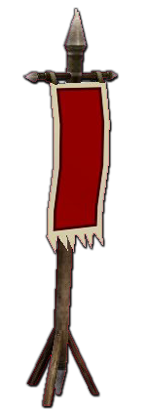
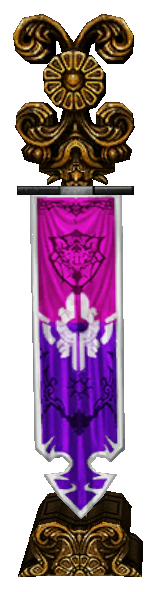
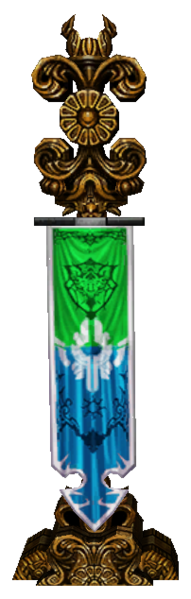
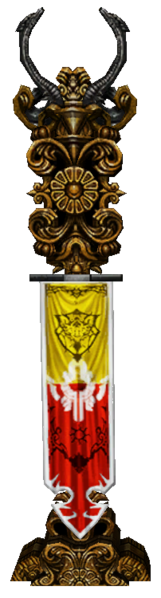
For 3 million Yang plus 5 Trunks and 5 Plywood, the leader can plant a Guild Land Logo structure on the guild plot. This is a large physical signpost that displays the guild's logo (the same 16 by 12 image, scaled up by the client) for everyone walking past. It's the most visible piece of branding a guild can have outside of war announcements. Banners in three colour variants (Purple, Blue-Green, Red-Gold) are cheaper decorative options.
Leadership Succession
- The guild leader can manually transfer the role using a Ring of Successor item.
- If the leader is inactive for 100 days, automatic succession kicks in: the system picks the most active member at level 40 or above.
- Without manual transfer or automatic succession, the guild keeps running but cannot perform leader-only actions (land lease, building placement, war declaration).
Guild Logo FAQ
What guild level do I need to upload a custom logo?
Level 3. Below that, only the 100 built-in preset logos are available. The custom-logo button in the guild window is greyed out until the guild hits level 3.
What is the exact pixel size for a custom guild logo?
16 by 12 pixels. Not 16x16, not 32x24. The client rejects anything that isn't exactly 16 wide by 12 tall.
Can I use PNG for the guild logo?
No. The Metin2 client supports .jpg, .gif, .bmp, and .tga only. PNG is explicitly not supported. If you have a PNG, export it to .tga (for alpha transparency) or .bmp (for chroma-key transparency).
How do I make parts of the logo transparent?
Two options. For full transparency, save as .bmp and paint the transparent pixels with hex colour #FF00FF (pure magenta). The client treats that exact colour as the see-through key. For semi-transparency or soft edges, save as .tga with an alpha channel. Photoshop, GIMP, and Krita all export alpha-channel TGA files.
Where do I put the logo file on disk?
In the client's upload folder, which lives at [Metin2 install folder]\en-EN\upload. The locale folder name matches your client language (de-DE for German clients, fr-FR for French, etc.). After dropping the file in, open the guild logo dialog in-game and click the refresh button so the new file appears in the picker.
The logo I uploaded looks blurry or wrong in-game.
Almost always one of three things: (a) the source image isn't exactly 16x12 and the client resampled it badly, (b) the file format is unsupported (PNG silently fails on some clients), or (c) JPEG compression artefacts are showing through at such a small size. Switch to .bmp or .tga and export the source at native 16x12 with no interpolation.
Can I change the logo after I've uploaded it?
Yes, as often as you like. Drop a new image in the upload folder, refresh the picker, select the new file. The change is visible to other players the next time they re-render any guild UI (most clients pick it up immediately, some need a relog).
Where exactly does the guild logo appear in-game?
Next to every guild member's character name above their head, in the guild member list, in the guild war announcements, on the guild ranking page, and (scaled up) on the Guild Land Logo decorative building if the guild has built one on its land.
How do I create a guild in the first place?
Talk to the Guardian NPC in the centre of your kingdom's starting town or at Dong Gwang Plain. You need a character of level 40 or higher, 200,000 Yang in your inventory, and you must have been guildless for at least 7 days (cooldown from leaving the previous guild).
What's the maximum guild size?
32 at guild level 1, scaling up to 90 with guild leveling. Building an Altar of Power on guild land adds another 6 to 8 slots per altar level on top of that.